Tesla navigation in Georgia
Navigation on your Tesla's screen
Tesla's built-in navigation doesn't work in Georgia. TSNav fixes that: a full map, navigation with street names and voice guidance.
- ModelsModel S · 3 · X · Y
- ScreenPortrait and landscape
- LanguageEnglish, Russian and Georgian
- Price5.99 ₾ a month
Connect your phone
The TSNav app sends your phone's GPS to the car's screen in the background, even with the screen locked. Connecting takes a minute and you only do it once.
Get the app
The TSNav app is for iPhone and Android. It works with the same account you created on the website.
-
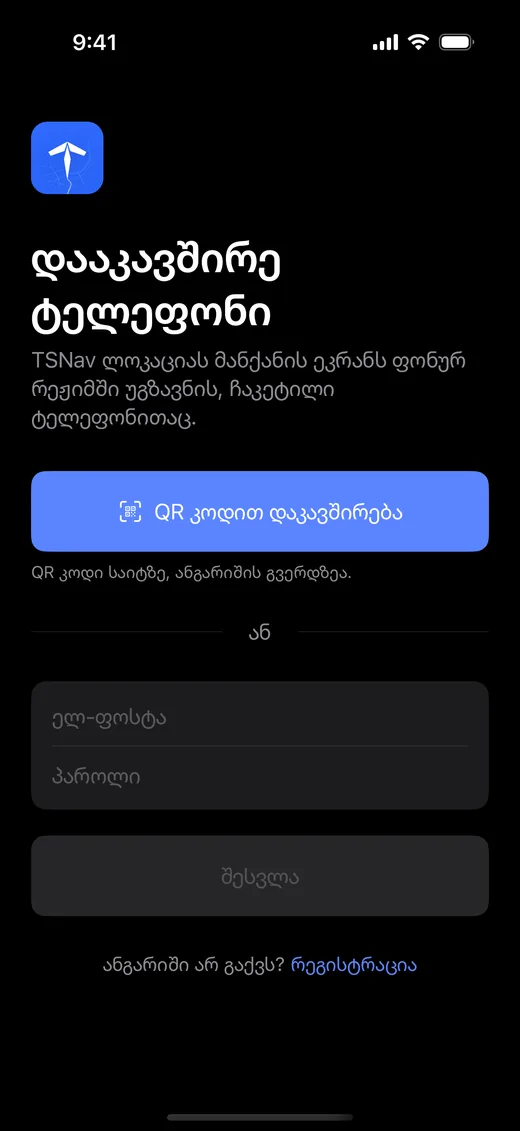
Enter the code
A 6-digit code appears on your Tesla's screen or on your account page on the website. Type it into the app and your phone is linked to your account.
-
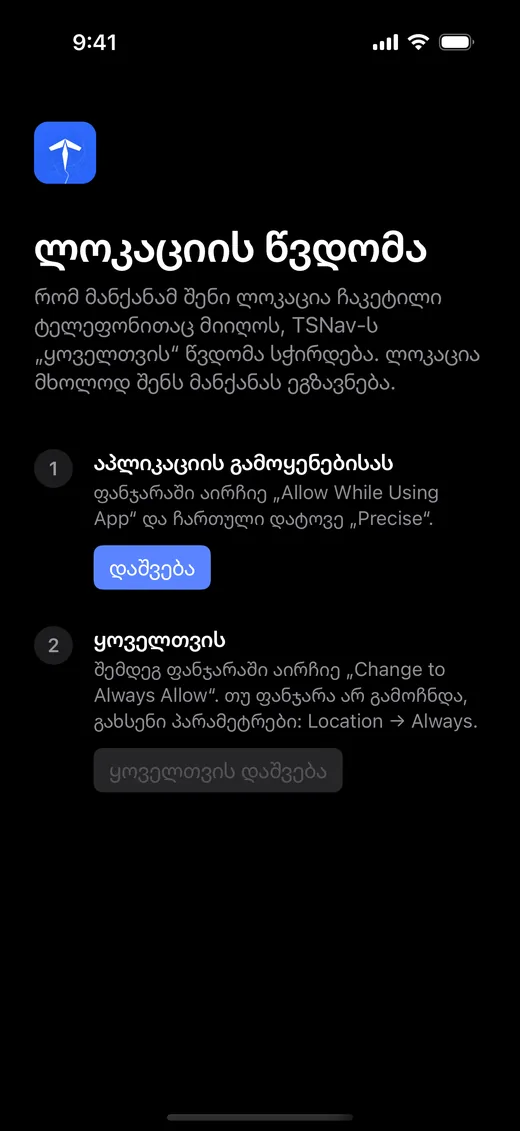
Allow location “Always”
First choose “While using the app”, then “Allow all the time”. That way the location is sent even when the phone is locked.
-
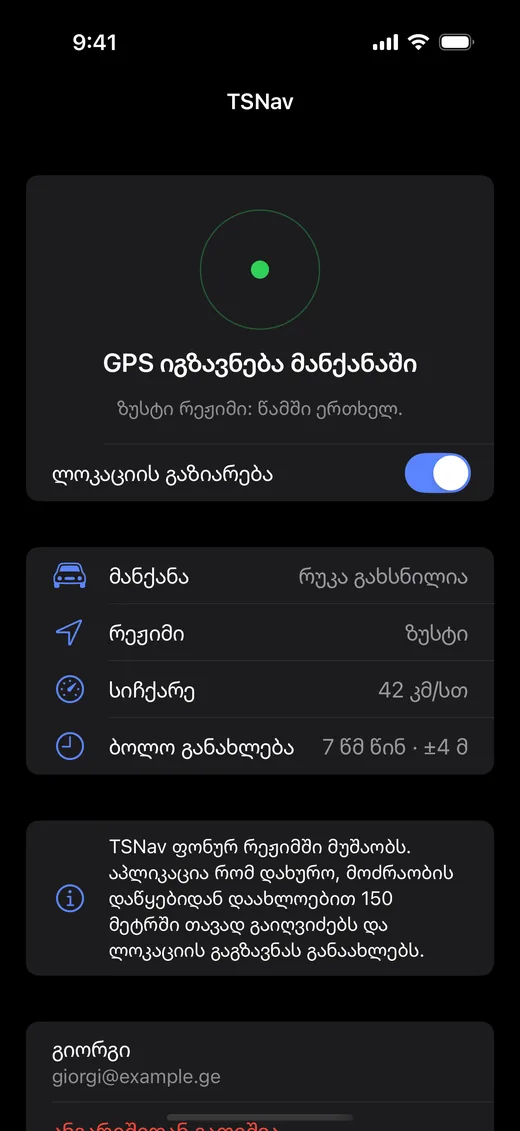
Open the map in your Tesla
The app notices this by itself and switches to precise mode: “Sending GPS to the car”. You can put your phone in your pocket.
The Android app is already available to download from the website. The iPhone app is coming soon to the App Store.
Three steps
Setting up takes five minutes; after that you just choose where to go.
-
01
Open it in your Tesla
Sign up and choose a plan. Then open tsnav.app in your Tesla's browser and sign in. The car will remember you.
-
02
Connect your phone
Install the TSNav app and enter the code shown on your Tesla's screen once. After that the phone connects to the car by itself.
-
03
Choose a destination
Search for an address or tap the map, pick a route and go.
What you need on the road
Nothing extra: the screen shows only what you need to read at a glance while driving.
- Live location
- The arrow moves smoothly and follows the road, without GPS jumps.
- Voice guidance
- “In 200 meters, turn right”, with street names, through your Tesla's speakers.
- Turns and lanes
- Big instructions you can read from a distance, and which lane to be in.
- Traffic-aware
- Arrival time is calculated with current traffic. The traffic layer turns on with one tap.
- Up to three routes
- The fastest is always first. Choose from the list or right on the map.
- Stops along the way
- Several points in one route. Drag to change the order.
- Automatic rerouting
- If you leave the route, a new one is calculated in a few seconds.
- Speed limit
- Where the limit is known, it's shown next to your speed. Your speed turns red when you go over.
- Search in any language
- A street, an address or a place, in English, Russian or Georgian.
- Home and favourites
- Frequent addresses are saved in your account and appear on every device.
- Older models too
- The map mode adapts to your car. On portrait and landscape screens.
- Day and night
- At sunset the map switches to calm, dark colours by itself.
Pricing
Every plan includes every feature. Plans don't renew automatically.
FAQ
Which Teslas does it work on?
On every Tesla with a browser: Model S, 3, X and Y. On older models you can choose the light map so it runs fast.
Do I need to install an app on my phone?
Yes, the TSNav app for Android and iPhone. It sends your location even with the screen locked, so you can keep the phone in your pocket.
How many phones can I connect?
One. When you connect a new phone, the previous one is disconnected. You can open the map on any screen.
How accurate is the arrival time?
It's calculated with current traffic and gets more precise during the trip, based on your real speed.
Where do I hear the voice guidance?
Through the Tesla's speakers. Mute or unmute it with the speaker button on the map.
How much mobile data does it use?
Only coordinates are sent from the phone, which is very little. The Tesla loads the map and keeps the places you've seen.
My Tesla has no internet. What should I do?
Connect the Tesla to your phone's hotspot. Most owners in Georgia do it this way.
How do I cancel?
There's nothing to cancel. Plans don't renew automatically and simply stop when they expire.
Contact
Have a question, an idea, or something isn't working? Write to us by email or on Facebook and we'll get back to you.
Navigation in your Tesla, today.
From 5.99 ₾ a month. No automatic renewal.