Android
The TSNav app for Android
The app sends your phone's precise GPS to your Tesla's screen. Installing takes two minutes. Until it's on Google Play, download it directly from here.
Installation guide with photosReading on a computer? Open tsnav.app/android in your phone's browser.
How to install
The red frame shows what to tap.
-
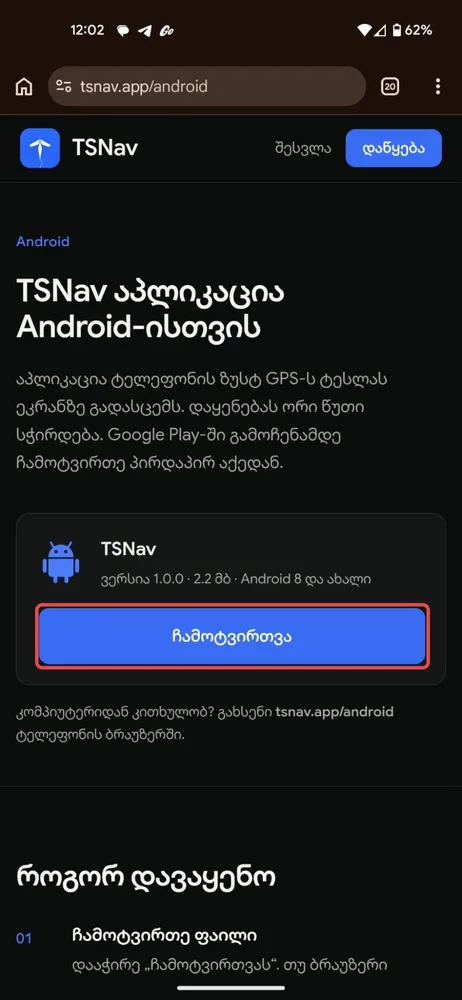
Tap “Download”.
-
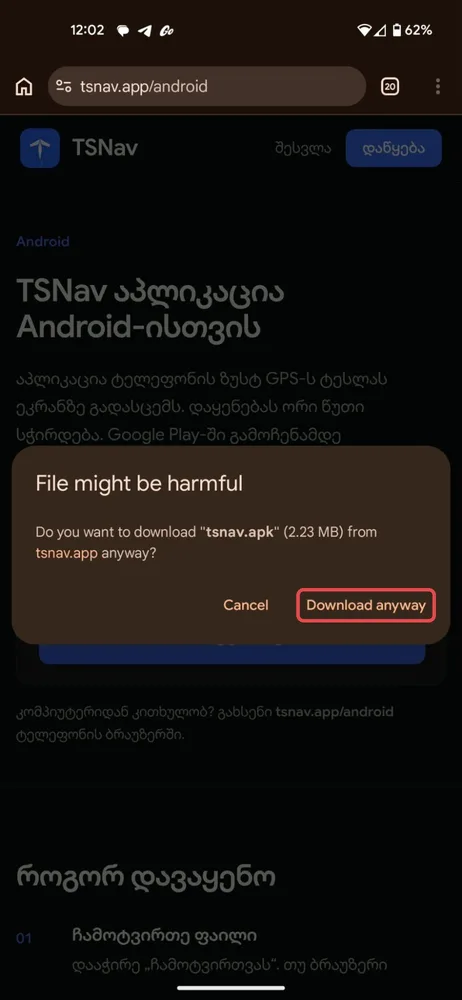
Tap Download anyway.
-
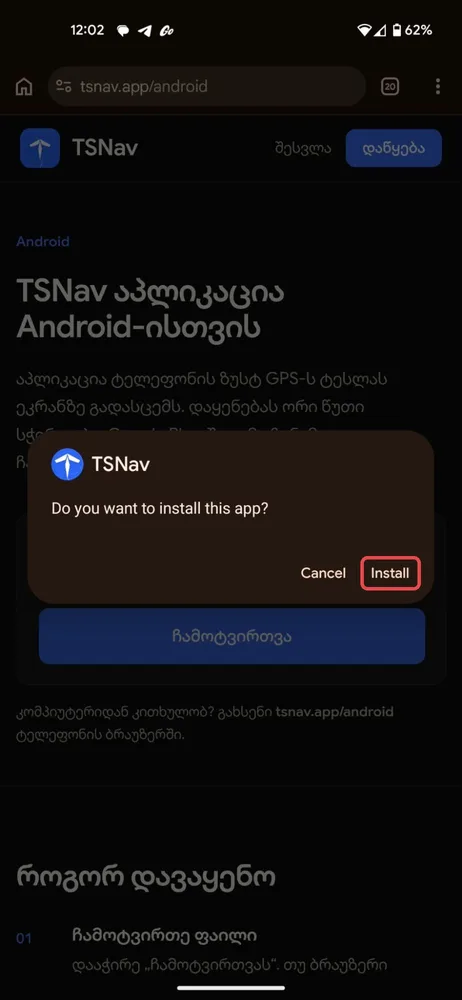
Tap Install. If the phone asks for permission, turn on “Allow from this source” and come back.
-
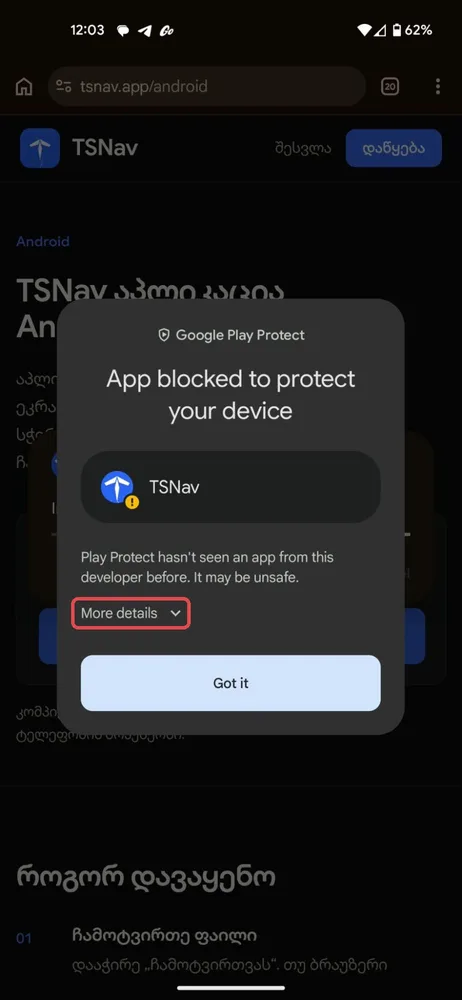
If Play Protect appears, tap More details.
-
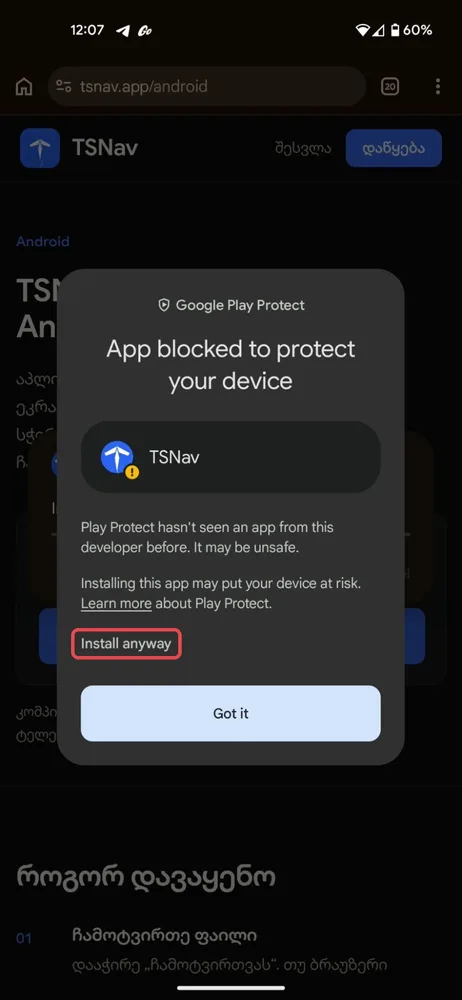
Tap Install anyway.
Link it to your account
Open TSNav, enter the 6-digit code shown on your Tesla's screen or your account page, and allow location “Always”.
Why is there a warning
Google shows this warning for every app that isn't installed from Google Play. The file comes from our website and is signed with TSNav's key.
Updates
When a new version comes out, the app tells you. Tap “Update” and install it over the old one. Your account and settings are kept.